In a world where staying online means working and living, compact internet access solutions have become essential. On our test bench today is an interesting device – the 2E PowerLink (MiFi-1 2024) U600. At first glance, it looks like a regular USB modem, but inside it hides a full-featured router with support for the latest Wi-Fi 6 standard.
Design and Ergonomics: Practical Minimalism
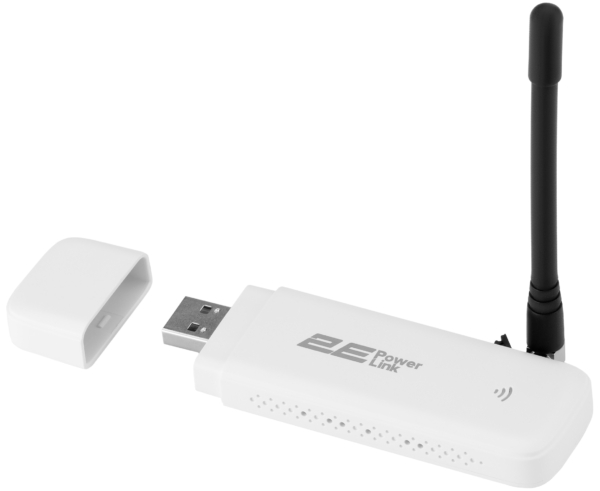
The device comes in a classic USB-stick form factor. Its matte white plastic body, minimalist design, and weight of only 26 g make it easy to carry in a pocket or backpack.The body includes only the essential elements:
- nano-SIM card slot under the rear panel;
- multi-mode LED indicator for network status;
- Reset button for restoring factory settings;
- CRC-9 antenna connector for external LTE antennas – an important detail.
Technology Inside: Why Wi-Fi 6 Matters
Most users associate Wi-Fi 6 (IEEE 802.11ax) with expensive home routers. Seeing this technology in a compact and affordable USB device like the 2E PowerLink is both surprising and impressive.The router operates in the 2.4 GHz band. While this frequency range is often considered outdated, Wi-Fi 6 technologies significantly improve its performance.
Key Technologies Explained
1. BSS Coloring – Better performance in crowded networks: In apartment buildings the 2.4 GHz spectrum is often crowded with neighboring networks. BSS Coloring allows the router to “tag” its data packets, helping it distinguish between its own traffic and signals from nearby routers. This improves connection stability in congested environments.
2. OFDMA – Efficient multi-device communication: Older routers serve devices one at a time, which can create micro-delays when several gadgets are connected. Wi-Fi 6 uses OFDMA to deliver data to multiple devices simultaneously.
3. 1024-QAM – Higher throughput: Denser data encoding increases transfer speeds by approximately 25 % compared to Wi-Fi 4/5 under similar conditions.
Verdict: Thanks to the AIC8800DW chipset, the router can handle up to 10 connected devices without significant performance drops.
Mobile Connectivity: LTE Category 4
The device uses the ASR1803S modem, supporting LTE Category 4 speeds:
- download: up to 150 Mbps;
- upload: up to 50 Mbps.
For reliable coverage it supports key FDD bands (1/3/7/8/20) and additional TDD bands (38/40/41), ensuring compatibility with major mobile operators.
Usage Scenarios: More Than Just a Modem
One notable feature of the 2E PowerLink is the absence of a built-in battery. While it requires an external power source, this design improves reliability and longevity.
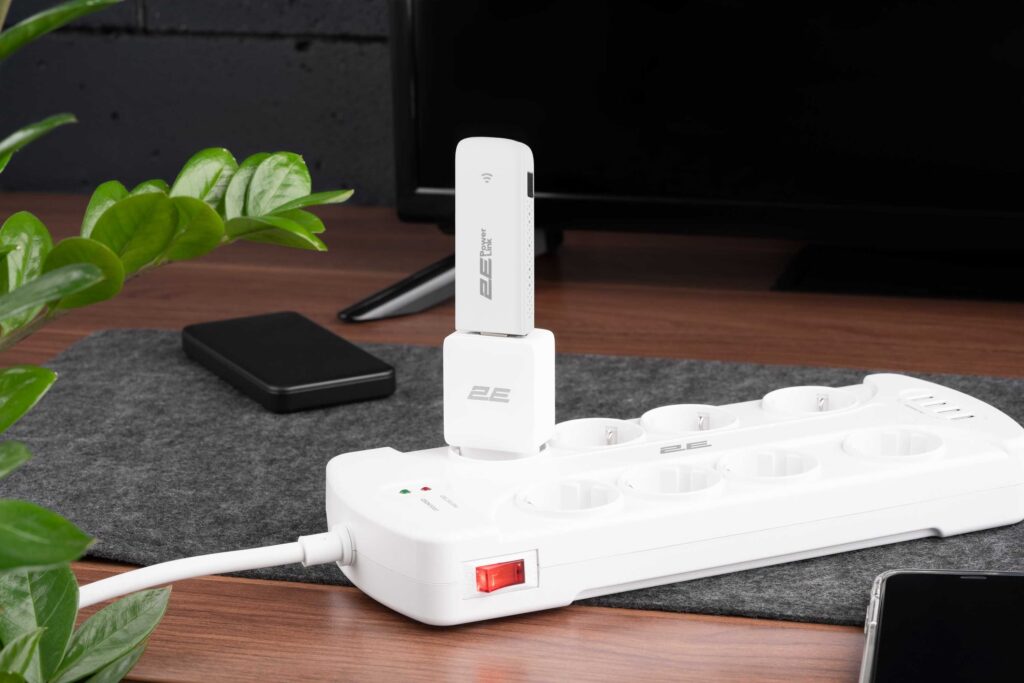
Plug & Play setup: The router automatically detects APN settings from the inserted SIM card. Simply plug it into a USB power source and it is ready to work.
Scenario 1: Mobile office. Plug the device into a laptop’s USB port. Windows 10/11 recognizes it as a virtual network adapter (RNDIS), providing internet access within seconds.

Scenario 2: In-car Wi-Fi. Connect the router to a USB car charger and attach an external antenna via CRC-9 if needed. The device becomes a mobile hotspot for navigation systems and passenger devices.
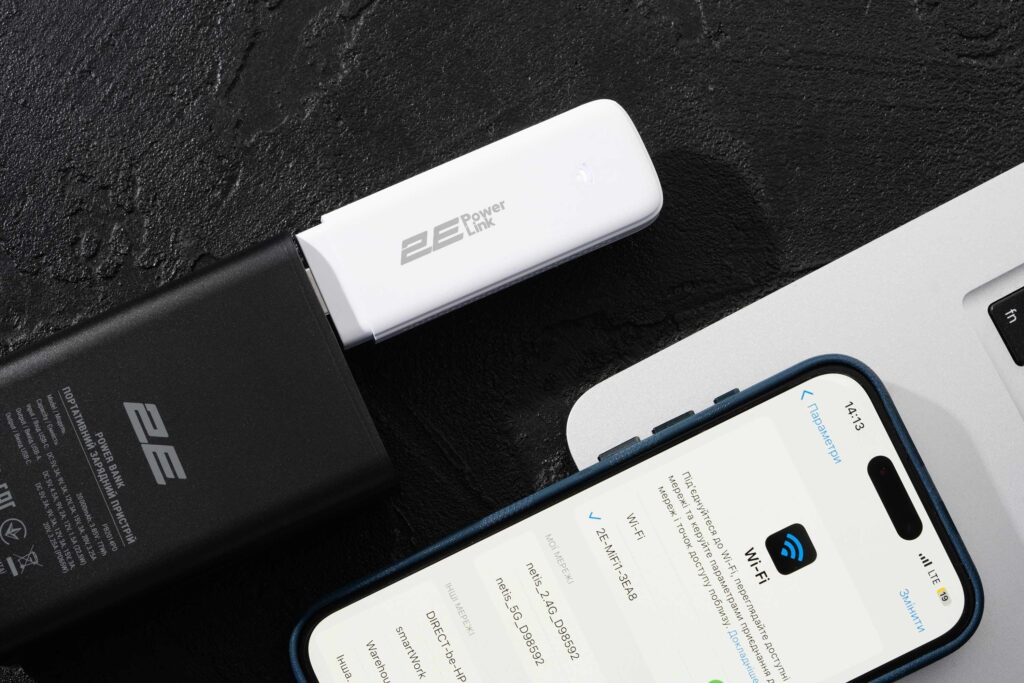
Scenario 3: Backup internet during power outages. The router consumes very little power. A typical 10,000 mAh power bank can keep it running for more than 24 hours.
Improving Connectivity in Rural Areas
While the built-in antenna works well in cities, signal strength may drop in rural locations. The CRC-9 connector allows you to attach an external LTE antenna.
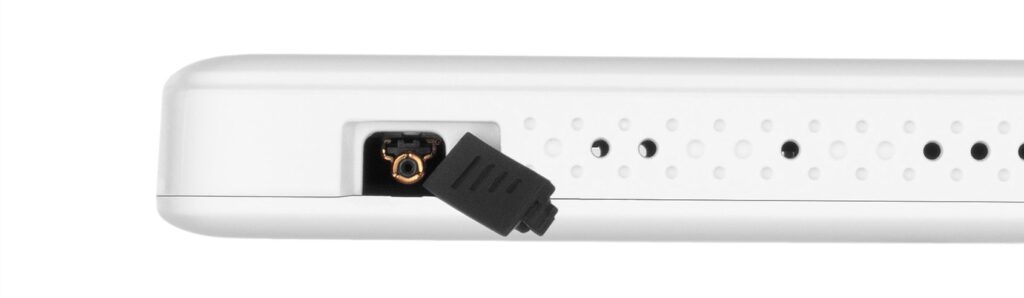
Expert tip: Using a directional Yagi or panel antenna with the correct CRC-9 adapter can significantly improve signal quality and internet speed. Apps like CellMapper can help locate nearby cellular base stations.

Software and Security
The device features a Ukrainian-language web interface, making configuration easy. Available features include:
- SMS management and phonebook: read messages from the operator directly in the browser;
- advanced settings (TTL / IMEI): functionality for experienced users to fine-tune the modem;
- security: WPA2/WPA3 encryption and MAC address blacklist.
Verdict
The 2E PowerLink (MiFi-1) represents the evolution of the classic USB modem. Instead of serving a single laptop, it functions as a compact connectivity hub for multiple devices.
Pros:
- Wi-Fi 6 support;
- works with any USB power source;
- external antenna connector;
- easy Plug & Play setup.
Best suited for: This device is universal due to its compactness and the ability to work from any USB source:
- mobile professionals: drivers, couriers, sales representatives;
- IoT and M2M applications: POS terminals, vending machines;
- remote monitoring systems: video surveillance, security alarms;
- backup internet: for homes and small offices during main provider outages.